
The console
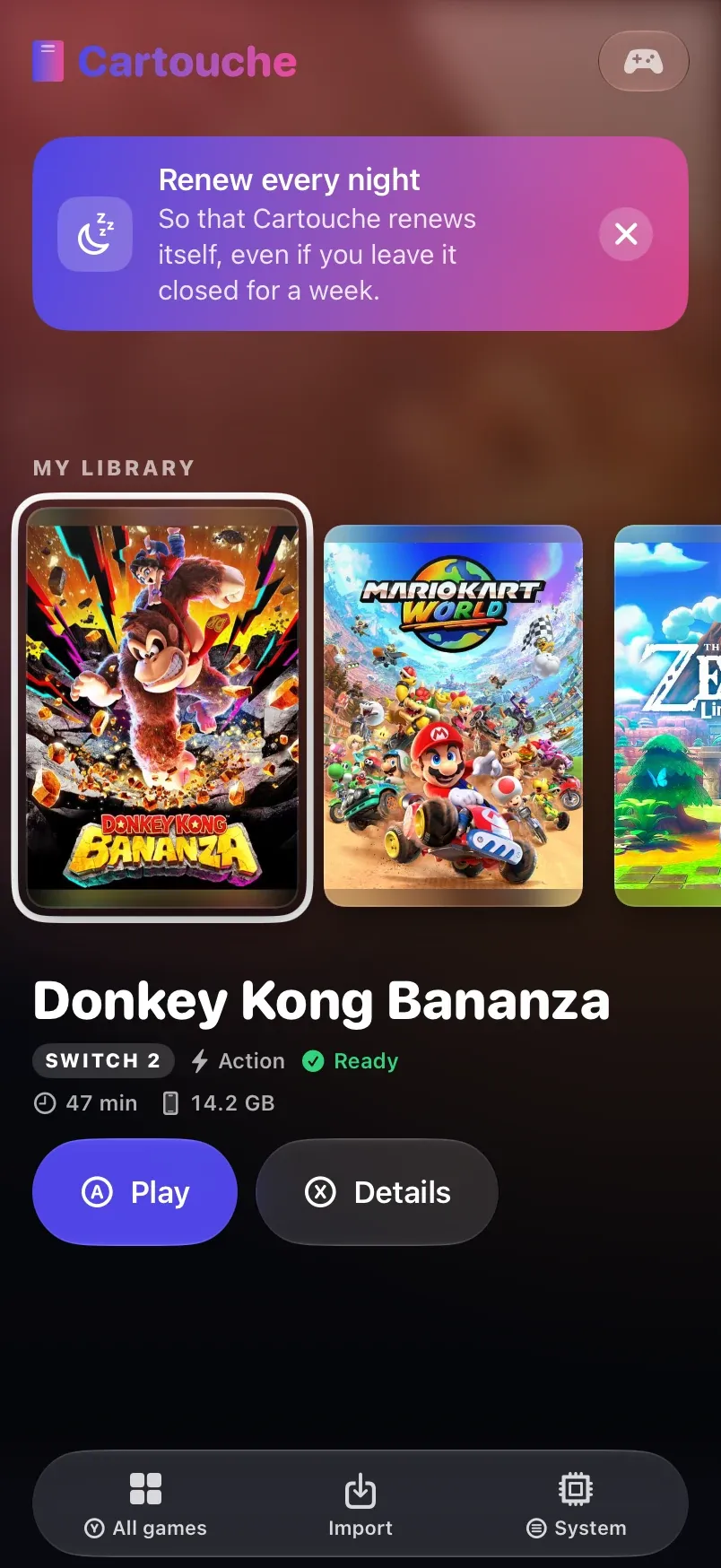
Cartouche opens on its console: your games, large, on one shelf, with their official covers. The game in focus shows everything you need to play it, and the rest of Cartouche is one step away.
The home
Section titled “The home”- My library: your games, installed or in your games folder, then Import and All games.
- The game in focus: its name, platform, genre and status on this iPhone, the time you played it and the space it takes. Play starts it, Details opens its sheet. When your games folder holds a newer build, Update installs it, saves kept.
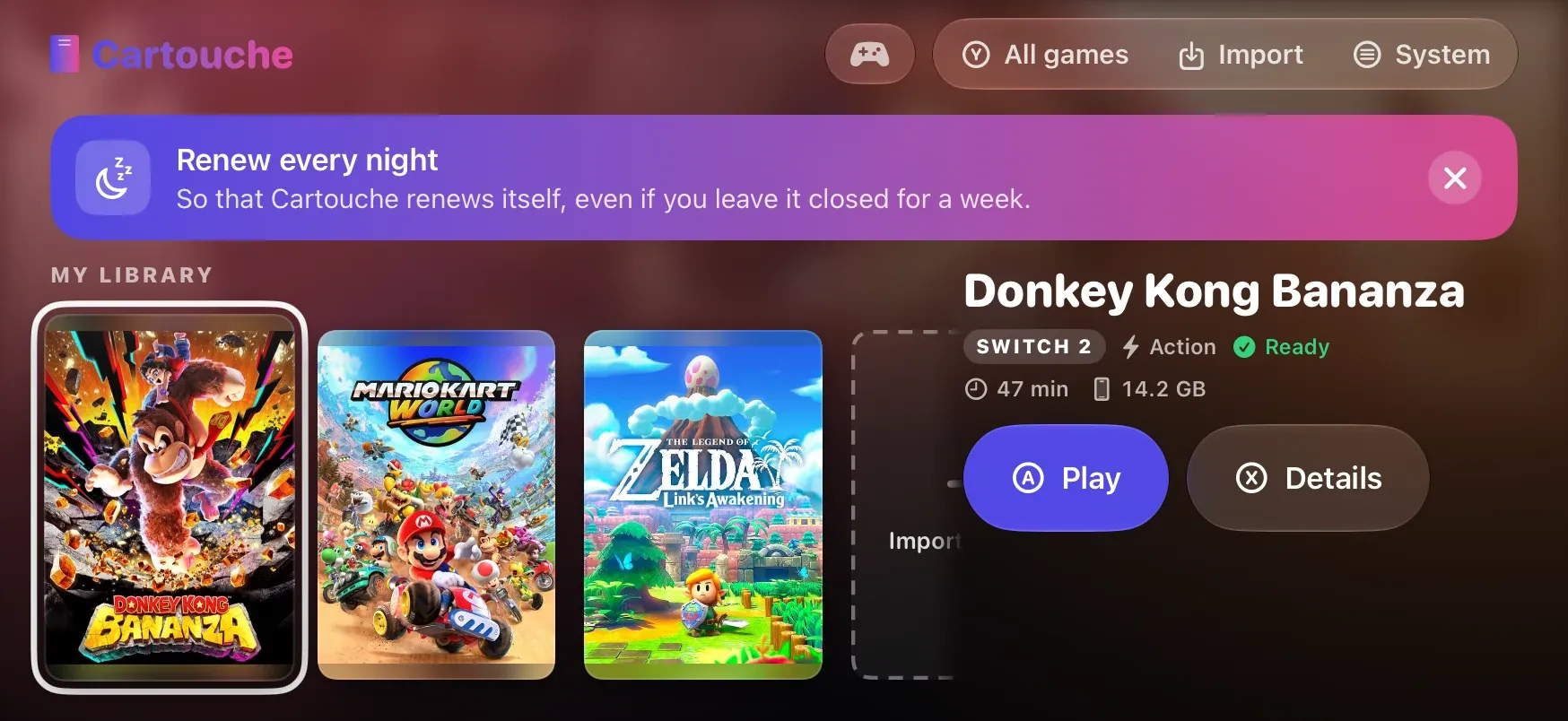
- The dock: All games, Import and System. It sits at the bottom when the iPhone is upright, and in the top bar when it is sideways.
- The top bar: a controller when one is connected, and, in the last three days of Cartouche’s signature, the days left.
A line under the game’s status says what is left to do, such as a setup to finish, and goes away once the game is ready to play.
All games
Section titled “All games”All games lists every game that has a profile in nxnative, yours first, each with its status under its cover. Search by name or title ID, and filter by All, My library, On iPhone, On Mac, In bring-up or platform.
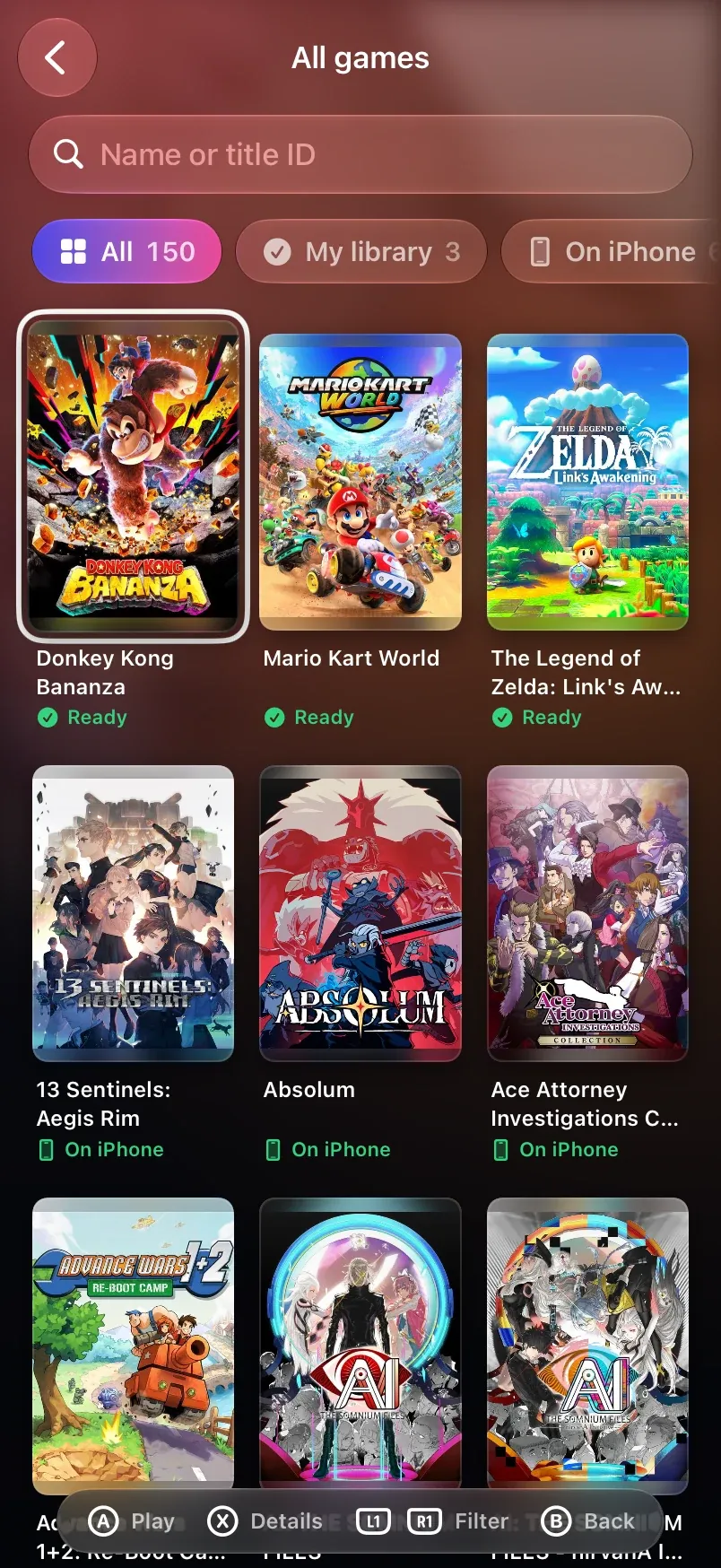
A game you do not have shows only Import my copy: Cartouche never offers a download. A game in your games folder that is not installed yet shows Install from that place.
| Status | What it means |
|---|---|
| Ready | Your game, installed, with nothing in the way. |
| In storage | Its IPA is in your games folder: install it to play. |
| Update | A newer IPA of it is in your games folder: updating keeps your saves. |
| Runs on this iPhone | Other players’ results on your model say it is playable. |
| Not tried on this iPhone yet | No result on your model yet. |
| Not recommended on this iPhone | It needs more memory than Cartouche has here, or players found it does not run. |
| Not supported on this iPhone | Its iOS version or graphics chip is missing. |
Touch and controller
Section titled “Touch and controller”Touch and a game controller both drive every screen, and each button shows the controller’s button for it.
| Touch | Controller | |
|---|---|---|
| Move the focus | Tap a cover | D-pad or stick |
| Play, or the main action | Play | A |
| A game’s sheet | Tap the game in focus, or Details | X |
| All games | All games | Y |
| Change the filter | Tap a filter | L R |
| System | System | Menu |
| Back, or close a page | OK | B |
A long press on one of your games offers Play, Details, Uninstall, and Update from your games folder when it holds a newer build.
Import my copy
Section titled “Import my copy”Import opens Files: choose the IPA of a game you built from your own copy, on your iPhone, iCloud Drive, a USB-C drive or a network share. Cartouche reads it where it is, installs it with a progress bar, then opens its sheet. An IPA nxnative built without its game files installs with the romfs.img beside it.
An IPA that is not an nxnative game goes to System › Other installed apps: the console shows games only.