
Your iPhone and your Mac
Paired once, your Mac becomes a storage place of Cartouche on the iPhone: Cartouche installs your games from it and keeps your saves there, encrypted on the way. And the iPhone drives the Mac’s builds.
Pair them
Section titled “Pair them”- On the Mac, in the Builder’s iPhone page, turn on Share with Cartouche on the iPhone.
- On the iPhone, in System › Storage, choose Add your Mac, then your Mac under Macs nearby. The first time, allow Cartouche to find devices on your local network.
- Both screens show six digits: when they are the same, click Allow on the Mac.
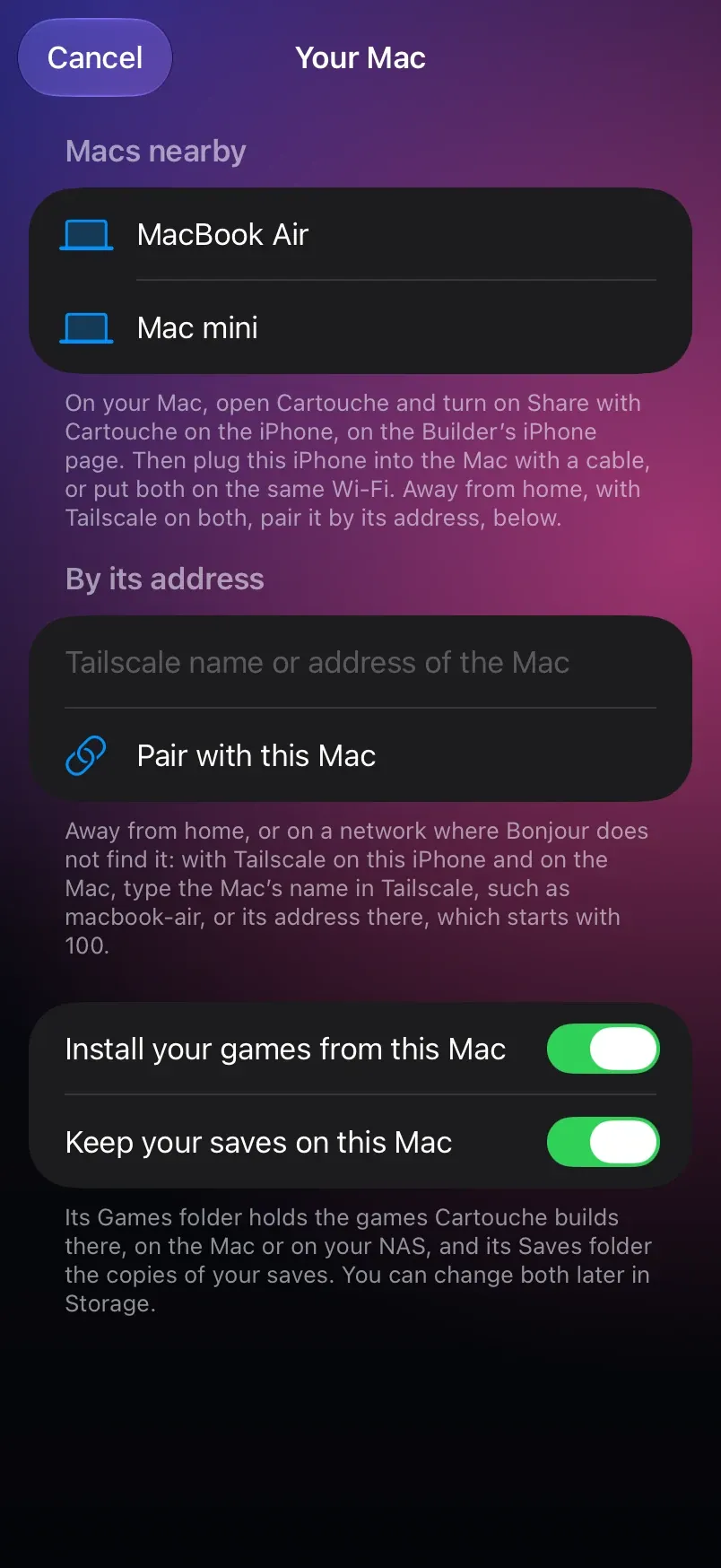
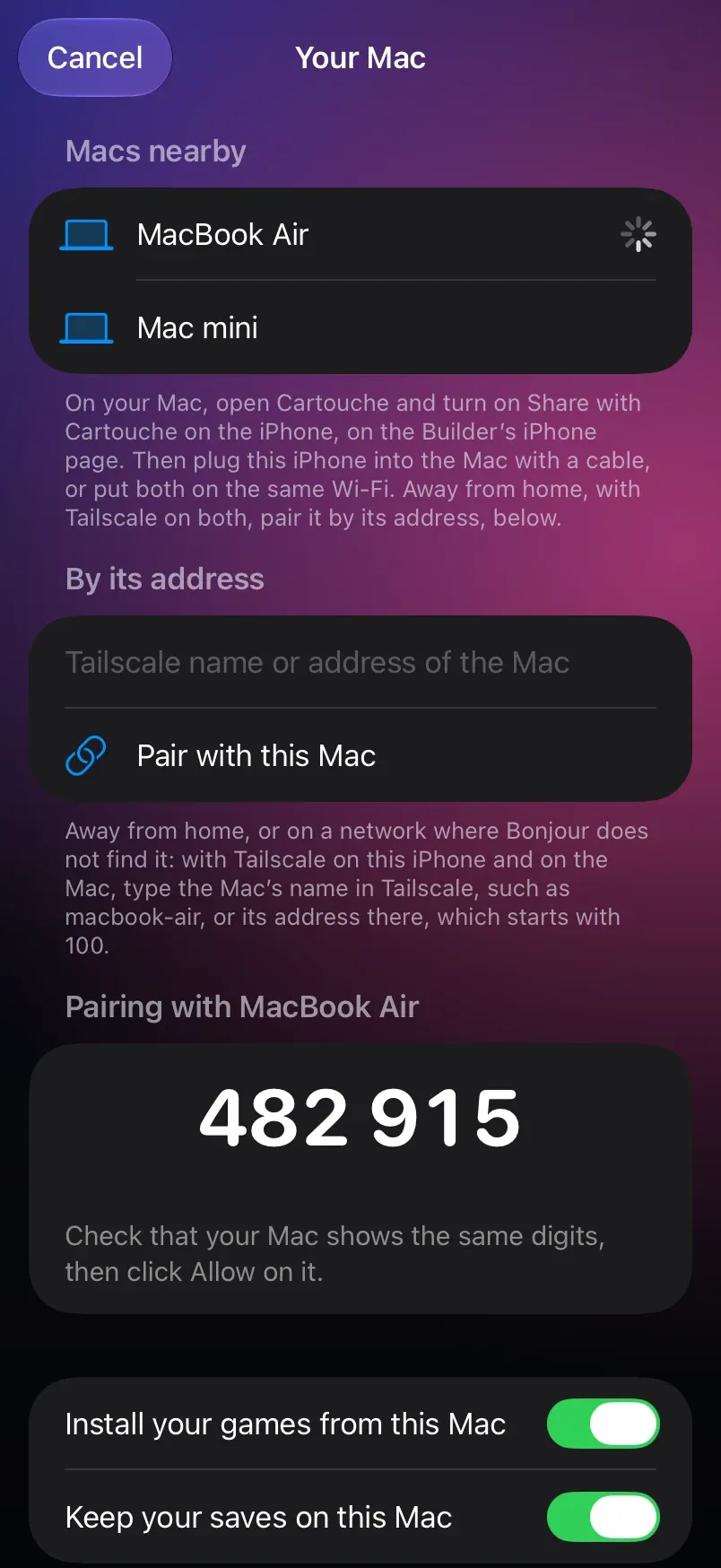
The Mac shares two folders, and nothing else of it can be reached: Games, your games folder, wherever it is, on the Mac or on your NAS; and Saves, the folder you choose for the copies of your saves. The key the two share never crosses the network, and every message is encrypted.
On Wi-Fi, by cable, or away from home
Section titled “On Wi-Fi, by cable, or away from home”- By cable: plug the iPhone into the Mac, and it reaches the Mac through the cable, with no Wi-Fi. Add your Mac lists that Mac first, By cable. The iPhone must trust the Mac, as the Finder asks once.
- A game of your NAS, through the Mac: while the iPhone is plugged into a Mac that reaches your NAS, FTP or SFTP server on its Ethernet, a game of your games folders there comes through the Mac and the cable, with nothing to set. The install’s screen then says By cable, through the Mac. On its Wi-Fi, the Mac lets the iPhone read the NAS itself.
- On your Wi-Fi: the iPhone finds the Mac by itself, or at the address it last reached it at, through your VPN too. The Mac stays awake while an iPhone is connected.
- Away from home: with Tailscale on the Mac and on the iPhone, signed in to the same account, the iPhone reaches the Mac through Tailscale. A Mac never met on your Wi-Fi pairs by its Tailscale name or address, under Add your Mac › By its address.
The Mac answers while Cartouche is open on it.
Drive the Mac’s builds from the iPhone
Section titled “Drive the Mac’s builds from the iPhone”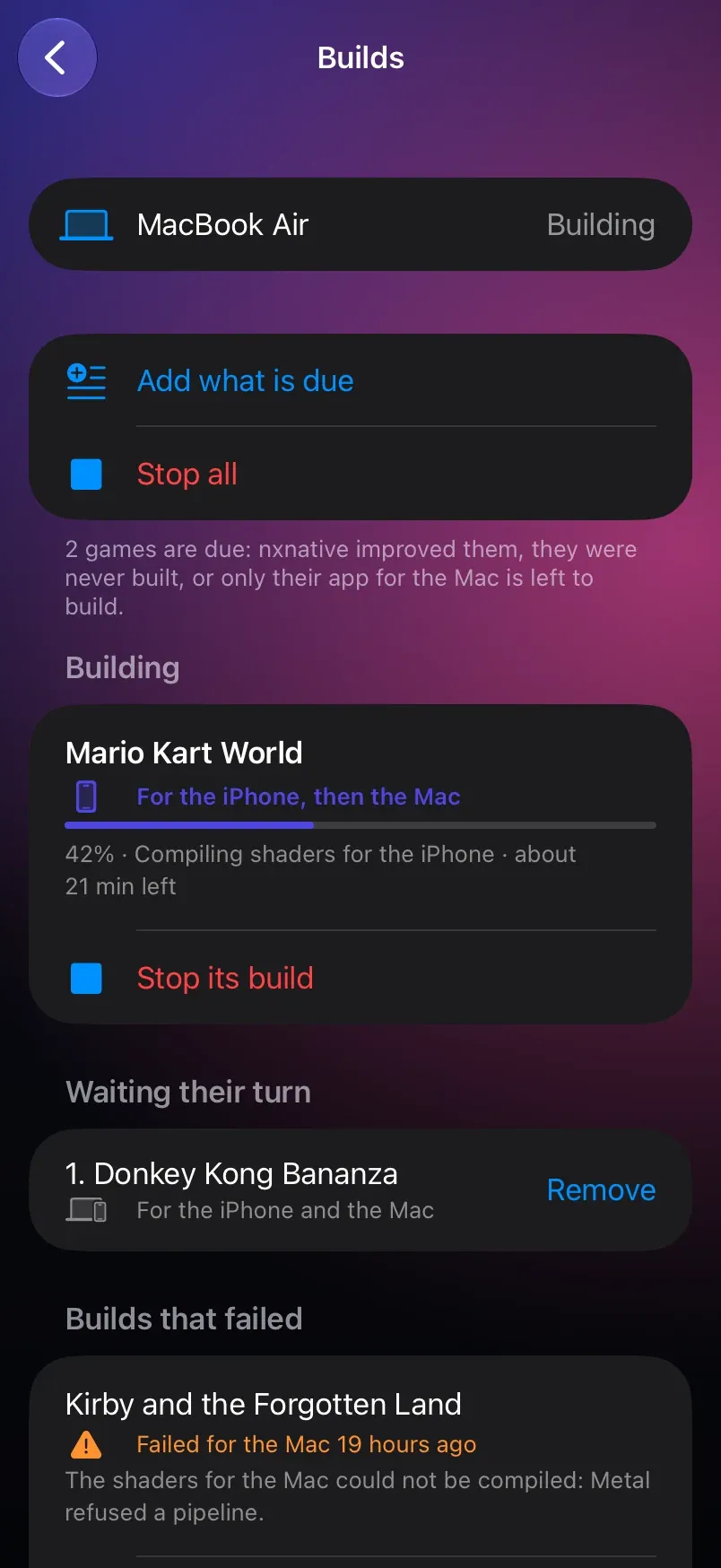
- Each game’s sheet shows Builds on your Mac: building, with how far and the time left, waiting its turn, up to date, improved by nxnative, or failed and why. Its button asks the Mac to build it, now or after the batch running, or stops its build.
- System › Builds on your Mac shows all its builds, as its own window has them: Build what is due, Stop all, the queue with Remove, the builds that failed, Follow for each game, and Build what is due every night with its time.
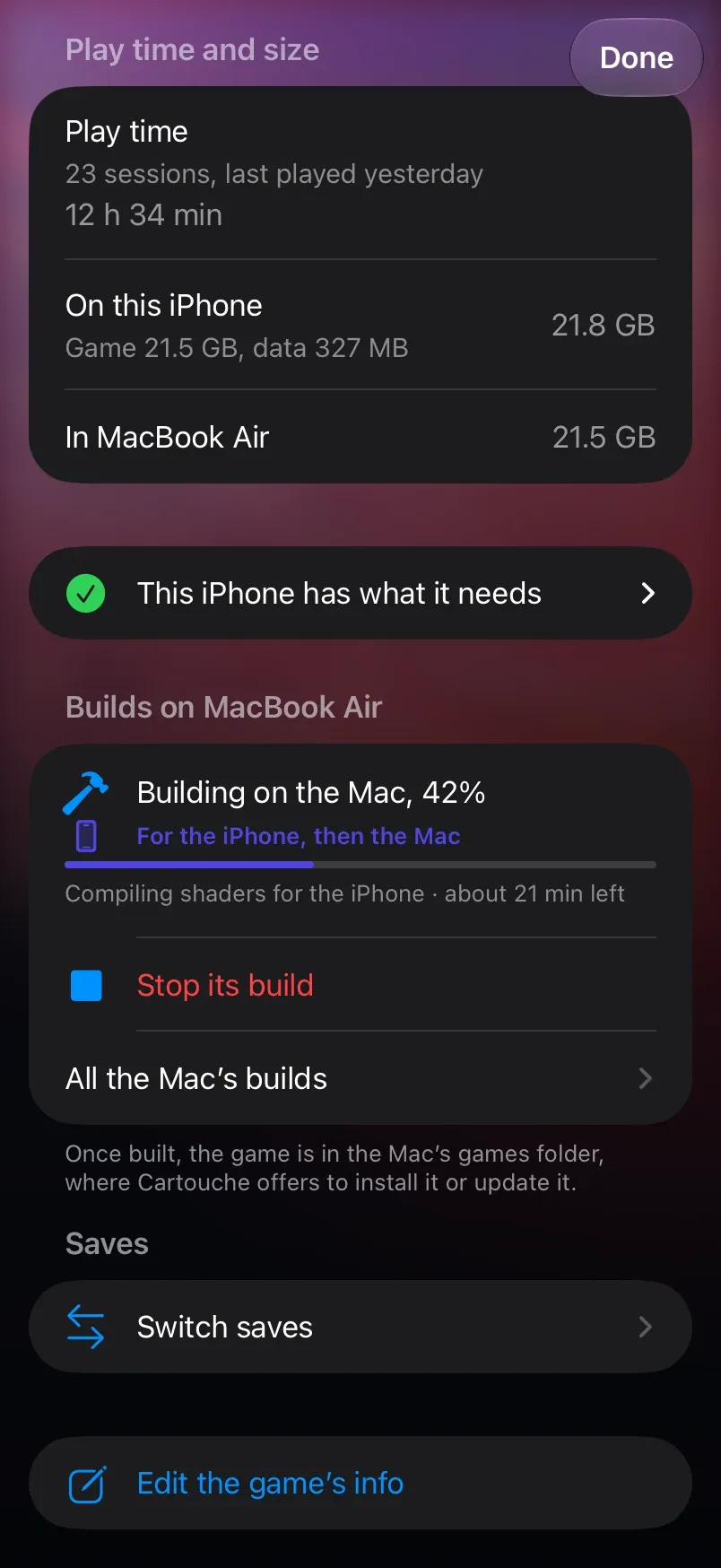
The Mac’s folders, its tools and its settings stay on the Mac.
The same connections
Section titled “The same connections”Once paired, the iPhone and the Mac keep the same connections to your storage, passwords included: one you add, change or remove on either comes to the other. See The same storage as your iPhone.
Keep both up to date
Section titled “Keep both up to date”Cartouche on the iPhone and Cartouche for Mac speak to each other: when one is much older, the iPhone says to update both. Cartouche for Mac updates itself; an old Cartouche for Mac that no longer finds its updates gets the link from the iPhone, in System › Builds on your Mac.