
Install Cartouche for Mac
On the Mac, Cartouche is one app: its console, as on the iPhone, and the Builder, which builds your games with nxnative from your own copies, for the iPhone, the iPad and the Mac. It needs a Mac with Apple silicon and macOS 26.6 or later.
Download and first open
Section titled “Download and first open”- Download Cartouche for Mac: the disk image downloads at once.
- Open it, and drag Cartouche onto Applications.
- Open Cartouche from Applications. The first time, macOS says it cannot check it, as it is not signed by Apple: in System Settings › Privacy & Security, click Open Anyway beside Cartouche, once. Its updates open without asking again.
The setup assistant
Section titled “The setup assistant”At its first start, a setup assistant sets up the Mac with you, a step at a time. Nothing is chosen for you: every folder starts empty. Each choice is saved as you make it, and all of them can be changed later in the settings, where Advanced › Open the setup assistant opens it again.
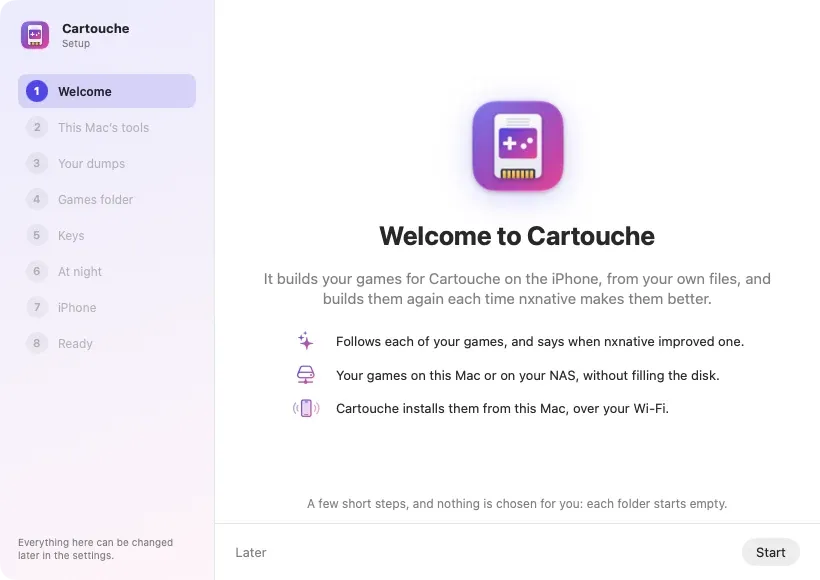
- Welcome: what the app does.
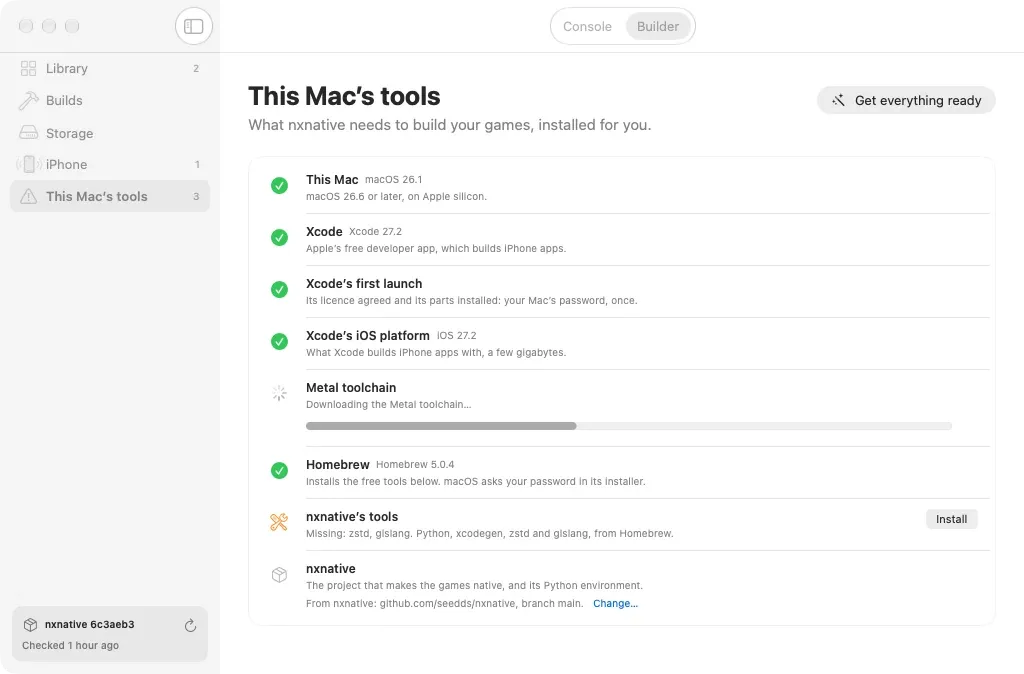
- This Mac’s tools: Get everything ready installs what nxnative builds with. Xcode comes from the App Store, which the app opens for you; Homebrew asks for your Mac’s password; the rest installs in the background while you go on to the next steps.
- Your dumps: the folder of your games, as you dumped them from your console, on the Mac or on your NAS. The Builder only reads it.
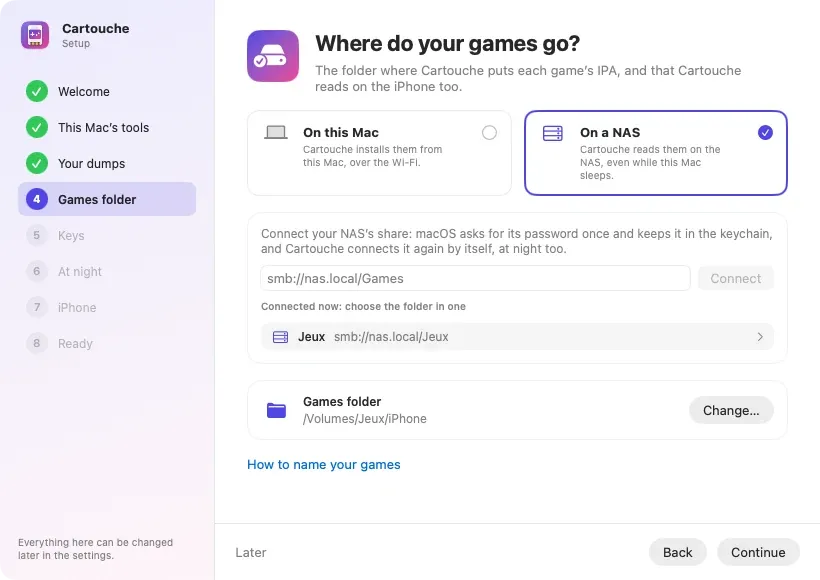
- Games folder: where your games’ IPAs go, on this Mac or on your NAS. It is the folder Cartouche reads on the iPhone too.
- Keys: your console’s keys,
prod.keys, for games given as packages. - At night: whether to build what is due every night, and when.
- iPhone: whether the Mac shares its games and saves with Cartouche on the iPhone, and how to pair it.
- Ready: what each step chose, with a button back to it.
This Mac’s tools
Section titled “This Mac’s tools”This Mac’s tools, in the Builder, shows each tool nxnative needs, installed or missing, with an install for what is missing, and Update Xcode when nxnative needs a newer one.
Your dumps
Section titled “Your dumps”The Builder reads your games as your console’s packages (.nsp, .xci, .nsz, .xcz, with their updates and DLC, which need prod.keys, or .nup), as dumps, or as a .zip of a dump. They can be loose in the folder, one folder per game, or in folders of folders. A game is known by its title ID; the library says what it left aside, and why.
Naming your games, under Folders in the settings, shows with examples what the Builder and Cartouche make of each name.
Updates
Section titled “Updates”Cartouche for Mac looks for its new versions when it opens and every six hours. A new version is downloaded, checked, and put in place when the app quits, or at once with Restart. Install updates by itself, in the settings, can be turned off: the app then offers each update instead.