
Build your games
Builder, at the top of the window or ⌘2, shows the Builder. It builds each of your games with nxnative into an IPA for the iPhone and iPad, and an app for this Mac, puts them in your games folder, and builds them again when nxnative improves them.
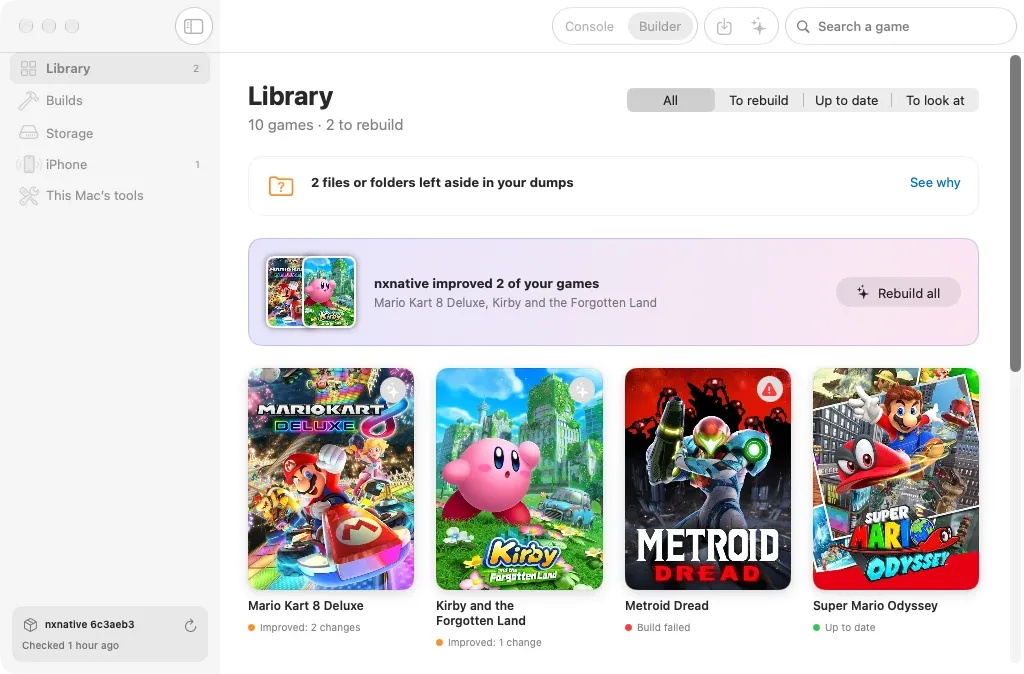
The library
Section titled “The library”Library shows your games with their covers: those of your dumps folder, and those whose IPA alone is in your games folder. Each says whether it is up to date, due for a rebuild and why, built at night, or failed and what failed. Filter them by All, To rebuild, Up to date or To look at.
A game’s sheet shows what nxnative changed for it since its build, its IPA and its app for this Mac, Build, Rebuild or Build again, whether it is followed, and what it is built for.
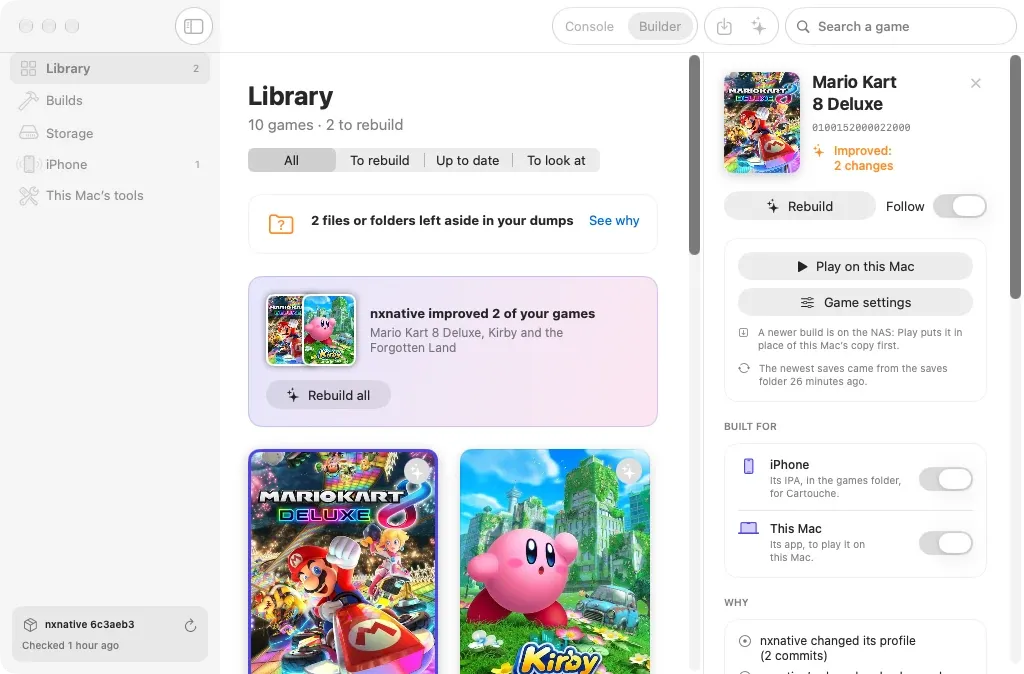
Building
Section titled “Building”Open a game and choose Build. A large game’s first build takes hours; the next ones reuse its build folder and take minutes. Builds shows the batch under way, game by game and step by step, its queue, and the batches before with their reports.
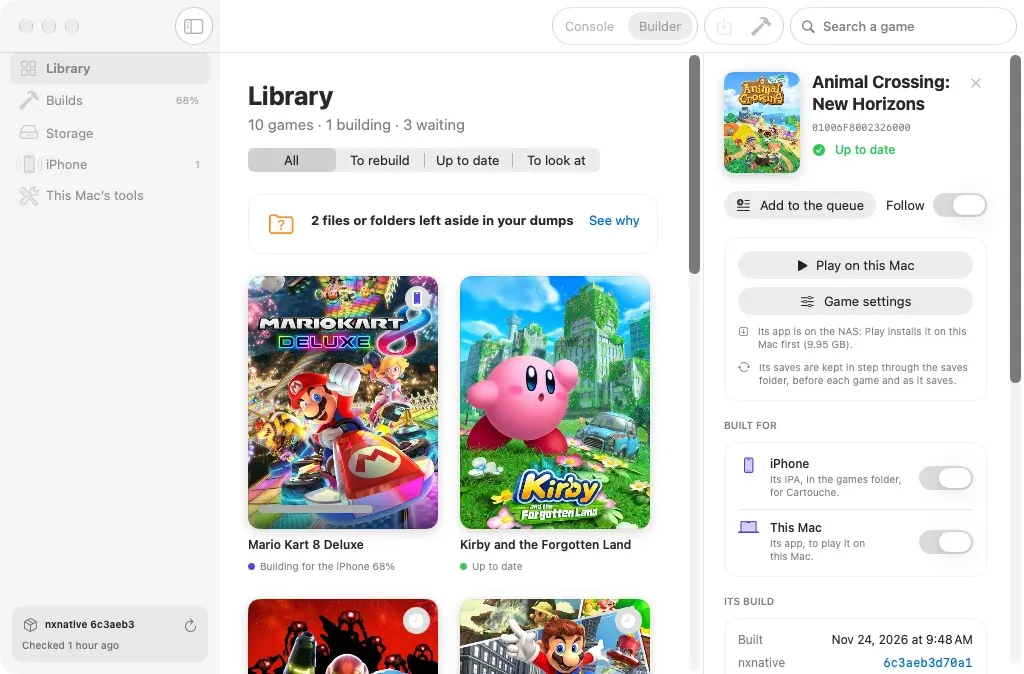
- A game asked for while a batch builds, with Add to the queue, waits its turn at the end of the batch.
- Stop this game stops only the game building; Stop all stops the batch and empties its queue.
- A notification says when a batch ends.
When nxnative improves your games
Section titled “When nxnative improves your games”nxnative gets dozens of changes a day. The Builder reads what changed since each game’s build, and builds a game again only when it gains something:
| A game is built again when | |
|---|---|
| it was never built, or its IPA left the games folder | |
| its folder holds new files | a new update, DLC or dump |
| a change of nxnative is made for it | its profile, or a fix that names it |
| nxnative’s shared code changed | every week by default; or at once, or never, in the settings |
| Xcode changed |
nxnative improved a few of your games? Rebuild all builds them. Cartouche on the iPhone then offers each update on the game’s sheet, saves kept.
A game whose build failed waits for nxnative or its files to change instead of failing again every night; Build again builds it at once.
Every night
Section titled “Every night”Build what is due every night, in the settings, builds what nxnative improved at the time you choose, even with the app closed. The Mac stays awake while it builds, and a notification says how it went. A share of your NAS that is not mounted is mounted again by itself.
Built for the iPhone and the Mac
Section titled “Built for the iPhone and the Mac”Each game is built for the iPhone and iPad, and for this Mac too, unless you turn one of the two off under Built for, for every game in Settings › Builds, or for one game on its sheet. See Playing on the Mac.
Build for each of your iPhones
Section titled “Build for each of your iPhones”The iPhone 15, the iPhone 15 Plus and earlier models have a graphics chip that reads no BC-compressed textures, which nxnative needs. Settings › Builds › Build for says whom the games are for: your paired iPhones, by default, or a model you choose. When one of them reads no BC textures, the Builder builds every game from nxnative-nobc, a separate fork of nxnative by mianmuhammadse that converts those textures; otherwise from nxnative. The setting says which and why.
Little room on the Mac
Section titled “Little room on the Mac”Each game keeps a build folder that makes its next build fast. The Builder keeps your disk from filling: it removes the files it extracts once a build ends, removes the build folders used the longest ago when the disk runs low, and says before a build how much room is missing. Storage shows what the Builder keeps, with Free.
When a build does not go through
Section titled “When a build does not go through”The error under a game in Builds says what to do when you can act on it: a full disk, damaged game files to copy again from your console, or an Xcode to update. When nxnative’s newest change breaks a game’s build, the Builder builds it from an earlier change that worked, by itself.
What it never does
Section titled “What it never does”It never downloads, shares or uploads a game, a key or an IPA anywhere but your own storage: it builds the games you own from your own files, on your Mac, into your own games folder.