
Your saves
With a saves folder chosen in System › Storage, Cartouche keeps each game’s saves in step with it, a folder per game. Your saves follow you from one iPhone or iPad to the next, and to your Mac, through your Mac or your NAS.
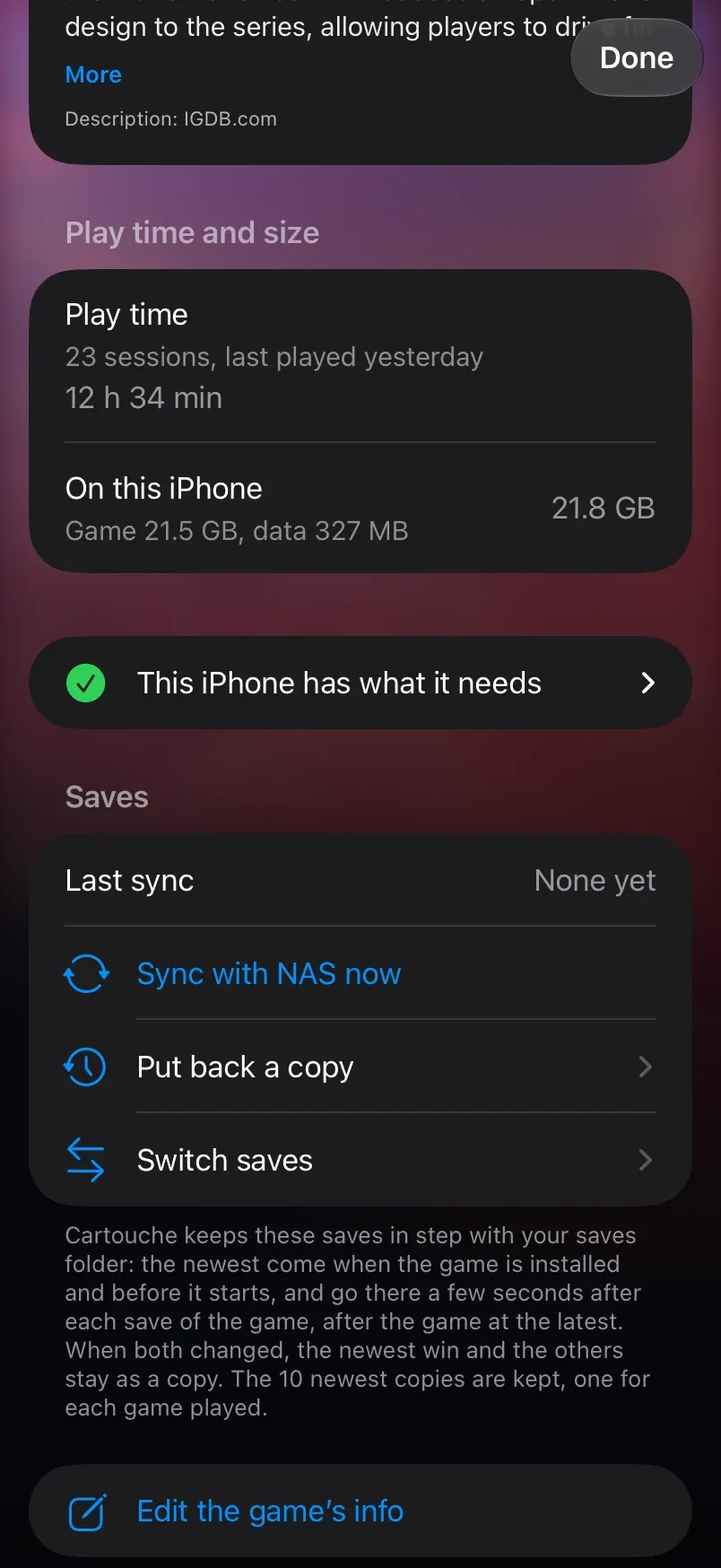
How they stay in step
Section titled “How they stay in step”- They go a few seconds after each save of the game, while you play, and after the game at the latest.
- They come when you install the game and before you play, as after you install Cartouche again, or after another iPhone or your Mac played it.
- The newest wins. When both sides changed, the saves written last win, and the others stay in the folder as a copy of their own.
- Ten copies of each game are kept, the newest first.
- Each copy names the version of the game that wrote it: an older version of the game never takes it, and the sheet says the copy comes once the game is updated.
A saves folder that does not answer, a NAS while you are away, keeps your saves waiting: Cartouche copies them as soon as it answers again.
On a game’s sheet
Section titled “On a game’s sheet”The sheet’s Saves says when they were last in step and what the last sync did.
- Sync with your folder now, when the game is not running.
- Put back a copy: choose one of the game’s copies, the newest first. Cartouche sends the current saves to your folder first, so that you can come back to them.
A game from your console
Section titled “A game from your console”Your game goes on here, from where you left it on your console:
- On your console, export the game’s save with JKSV or Checkpoint.
- Put its folder or its ZIP on this iPhone, in Files.
- On the game’s sheet, open Saves, then Switch saves, and Choose the exported save.
- Continue this game here. Cartouche checks that the save is this game’s, keeps the one it replaces, and, with a saves folder, sends it there as the newest.
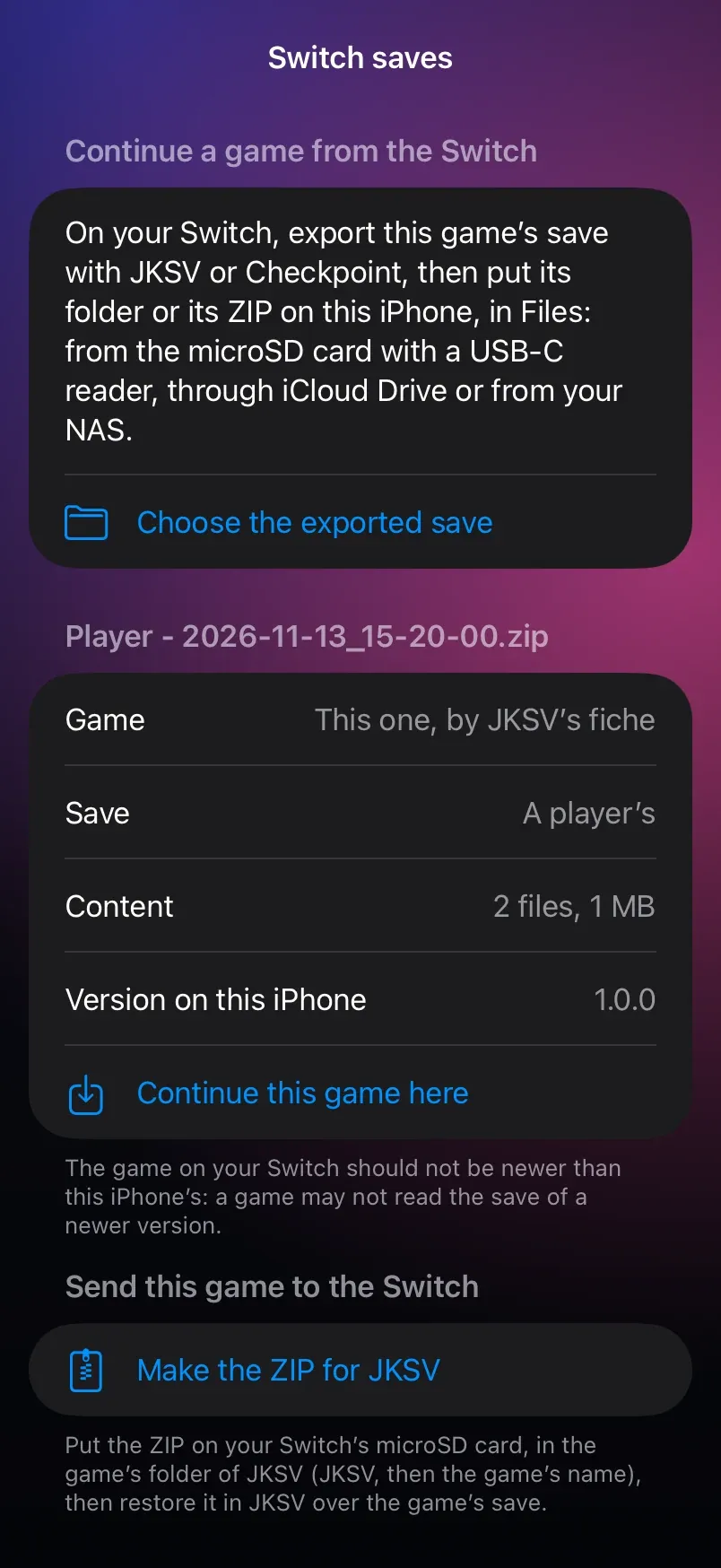
Put back the game from before the import undoes it.
The other way, Make the ZIP for JKSV makes the game’s save into a ZIP: put it on your console’s microSD card, in JKSV’s folder of the game, and restore it in JKSV.
On the Mac
Section titled “On the Mac”Cartouche for Mac keeps the saves of the games played on the Mac in step with the same folder, with the same rules. See The console on the Mac.